
- Review this page during the week prior to the course
- Keep this page bookmarked and handy to refer to throughout the course
- In preparation for the course please use the information below to address the following:
- Check computer and audio set up appropriately for lectures and for practical sessions – including audio test
- Check appropriate equipment and space available for the practical sessions
- Check what you need for all online sessions
- See https://gladaustralia.com.au/finalising-your-booking-and-payment-for-glad-australia-hip-and-knee-training/ for payment details.
The course will be completed online and you will need access to the following:
- A tablet or computer (laptop or desktop) with a big enough screen to read and understand the presentations. Please download, and view, the following in full screen as an example – Presentation Example
- A webcam, either attached via USB or built-in to the tablet or computer (for the prac sessions)
- We recommend headphones with a built-in microphone (usually supplied when you purchase a smart phone) to decrease feedback from the audio in the presentations; alternatively you can use the built-in speakers and microphone in most tablets and computers – instructions on testing your audio are below
- A small, quiet and well lit room, with a comfortable place to sit – a study or clinic treatment room would be appropriate.
- Space to move, and exercise equipment, for the prac sessions – see below.
- Make sure you can access the GLA:D Australia Clinicians’ Dropbox folder from the device(s) you will use during training. Some organisations will not permit this so you may need a cellular device (smart-phone or tablet that has internet access without using organisational wi-fi) on-hand. Note that you do not need to create an account or download this entire resource. It’s a live resource that is being updated regularly, and an account is not required for access. You can simply download individual files as you require.
- Check you can send audio and video through your internet connection. Some organisation IT systems will not allow you to send audio or video; this is not an issue for Modules 1 and 3, but for Module 2 (online) you will need to check beforehand that you can do this.
Attending with others?
- Module 1 (Live Online sessions only) – this will be fine, with as many people as can comfortably view the screen and hear the audio. HOWEVER – you will each need your own device to complete the pre-course questionnaire at the beginning of the session. A smartphone or tablet will be OK for this.
- Module 2 (online, Meeting session) – a maximum of two people per device, and devices will need to be in separate rooms to prevent feedback and background noise interference.
- Module 3 (online, Webinar session) – this will be fine as for Module 1, and no separate devices are needed.
- ***Email GLAD.Australia@latrobe.edu.au during the session with names of attendees at your device if there is more than one person.***
In preparation for the course please test audio for the tablet or computer you will be using to attend the course.
- Click any of the session links below
- A pop-up will appear stating “waiting for host to join”
- Click the “test speaker” button on the pop-up
- Test both your speakers and microphone, following the prompts on your screen
During the course you will be able to adjust your audio and video settings by clicking the small arrow next to the “mute/unmute” button or “video” button.
PROGRAM HANDBOOK: NEW Program Handbook 2026
PRESENTATION SLIDES: presentations are under review. The new presentation slide-decks will be available here by the beginning of February 2026.
RECOMMENDED PRE-READING: https://gladaustralia.com.au/introduction-to-glad-australia/
The agenda will be available here prior to the prac sessions. Please note, we try to be as responsive as possible to the learning needs of participants, so times within sessions are flexible.
- Key References – pdfs and list
- GLA:D® Australia Clinicians Dropbox link – note that you do not need to create an account or download this entire resource. It’s a live resource that is being updated regularly, and an account is not required for access. You can simply download individual files as you require.
- Trek Education website with modules for clinicians and consumers
- Video of Ewa Roos talking about meniscectomy – Time to stop meniscectomy (youtube.com)
- Access to the protected area of the website – the password will be given during Module 1
- A link with your personal access will be sent on Wednesday 18 March to the initial booking email address, or the registration email address if payment has been finalised.
- This module contains several hours of content which can be completed in parts. Simply make a note of the Return Code to be able to re-enter without resetting.
- The entire module must be completed by Tuesday 14 April in order for you to be able to participate in your Module 2 prac session.
- This module requires access to a tablet or computer that has internet connection.
IMPORTANT NOTE:
Full participation in these practical sessions is a requirement of completing the training and being eligible for certification. Please ensure you check your setup as described below, and attend prepared to talk with your colleagues and to practise the exercises – even if you don’t have access to all equipment.
If you are sharing your device, please note there should be a MAXIMUM OF TWO ATTENDEES PER DEVICE.
Date/time: Please attend the session you booked through Humanitix. You should only attend one of these sessions. Email glad.australia@latrobe.edu.au if you need further assistance.
ONLINE PRACTICAL SESSIONS:
- Thursday 16 April 9am-1pm, AEST (Melbourne time)
- Thursday 16 April 1pm-5pm, AEST (Melbourne time)
- Friday 17 April 9am-1pm, AEST (Melbourne time)
- Monday 20 April 9am-1pm, AEST (Melbourne time)
Zoom link for all online practical sessions: https://latrobe.zoom.us/j/88356494756
Instructions: Please ensure you have gone through the checks above under ‘Requirements and Setup’ and ‘Testing Audio’. This will be a MEETING session with full audio and video interaction. We will use Zoom breakout rooms in order to work together in small groups and with tutors (ratio of 8 attendees:1 tutor plus additional admin support person).
Attending with others: a maximum of two people per device, and devices will need to be in separate rooms to prevent feedback and background noise interference.
Camera and microphone: Some organisation IT systems will not allow you to send audio or video; this is not an issue for Modules 1 and 3, but for Module 2 you will need to check beforehand that you can do this.
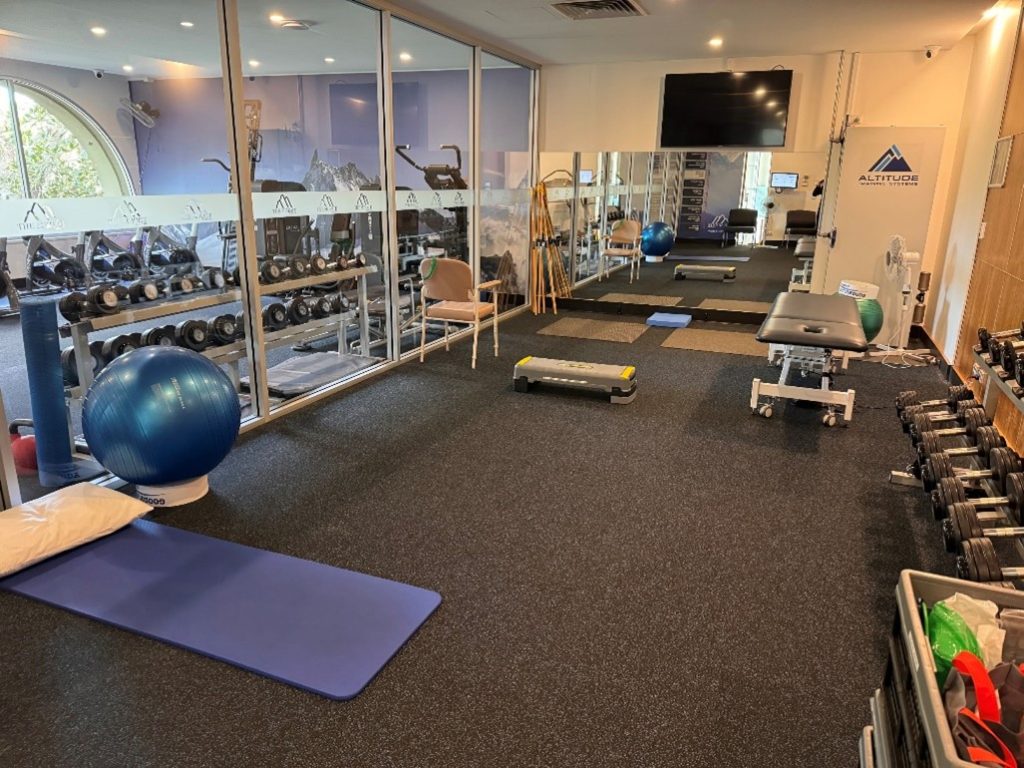
Exercise Equipment you will need for your prac session:
- Mat, treatment plinth or somewhere suitable to lie
- Swiss Ball (preferred) or sturdy chair
- Sturdy Chair with 4 legs (Hip Chair or dining chair)
- Assorted Theraband ~ 2m lengths (Ideally Green/Blue/Black/Silver/Gold)
- Sturdy Attachment Point (Kitchen table, leg of bed, etc)
- Step (adjustable preferred)
- Slider (Polishing Cloth for hard surfaces / furniture slider for soft surfaces) – an XR Slider is often used, but you can use any furniture slider that has good space for a foot. If you or your clients are on a budget, an ice cream container lid (not too big) or even a laminated sheet of paper can be used – anything that slides freely across the floor surface you are working on.
- Long dowel or broom handle
- Any weights (weight vest/dumbbell/kettle bell)
MODULE 2 FULL PRESENTATION – you will need to have this open for your prac session
Please note that some of these pages require Access to the protected area of the website – the password will be given during Module 1.
Part 1. Physical Performance Tests https://gladaustralia.com.au/physical-performance-tests-and-proms/
Additional resources
- OARSI Physical Performance Tests – OARSI website with links to videos of the tests
- OARSI Manual with amended chair stand instructions – counting of final chair stand for GLA:D® Australia is different from the OARSI instructions – everything else is the same
Part 2. Participant Education https://gladaustralia.com.au/participant-education-sessions-resources/
Additional resources:
- RACGP Guidelines
- Clinical Care Standards for Osteoarthritis of the Knee
- Infographics
- Trek website
- My Knee
- My Knee Cap
- Teach Back – method to enhance learning and behaviour change
- Knee OA Decision Support Tool– Australian Commission on Safety and Quality in Healthcare
- Musculoskeletal Framework– Resource to support discussion about biopsychosocial factors
- NOI Group – Neurolinguistics in OA Knee – the nuances of language when talking about pain
Part 3. NeMEx Program https://gladaustralia.com.au/exercise-session-resources/
Additional Resources
- Backward chaining – technique for on/off floor practice
- NeMEx Trek Education site – videos of NeMEx
Part 4. Registering Participants for Data Collection https://gladaustralia.com.au/registry/
- How to Register a Participant instructional video on the participant registration page https://gladaustralia.com.au/registry/
- Data Registry TRAINING MODULE – to practise registering participants.
Date/Time: Zoom webinar session – Wednesday 22 April, 10am-1pm AEST, (Melbourne time)
Zoom link: https://latrobe.zoom.us/j/88604466184
Instructions: Please ensure you have gone through the checks above under ‘Requirements and Setup’ and ‘Testing Audio’. This will be a WEBINAR session and you will not be able to be seen or heard throughout. You will be able to submit Questions through the Zoom Q&A function.
***Email GLAD.Australia@latrobe.edu.au during the session with names of attendees at your device if there is more than one person.***
Resources:
- Clinic Implementation and Planning Checklist
- Presentations
- Facebook group for GLA:D® Australia Clinicians
Members of the GLA:D® Australia team will be on hand to assist you with any issues you may have – however, please note we are not ICT professionals. Testing beforehand will help minimise the risk of problems.
BEFORE THE COURSE:
We recommend testing your audio and video well in advance of the course – as described above. Some organisation IT systems will not allow you to send audio or video; this is not an issue for Modules 1 and 3, but for Module 2 you will need to check beforehand that you can do this.
If you would like to have a trial run before the course to see if your proposed set-up will work, please email glad.australia@latrobe.edu.au.
DURING THE COURSE:
If you experience connectivity issues, are running late or find you have missed any part of the session, please email glad.australia@latrobe.edu.au. This account is monitored by a number of our team and guarantees the most timely response.
If for some reason you are unable to use email (eg if you have no internet connection or find yourself travelling unexpectedly), please SMS 0414 784 047 (also available on WhatsApp). Note that this is the phone number of a team member who may be presenting at the time so an immediate response may not be possible.
If you have any questions before or during the course, please email glad.australia@latrobe.edu.au.
- You will need to complete the Certification Test (online, via email link) within 7 days of the final session. If you don’t receive your test, PLEASE CONTACT US IMMEDIATELY (don’t forget to check your junk mail…)
- In order to receive your certification, you will need to complete the test with a pass of 80% and return your signed Permission form (there is a link in the test for you to attach it there – you do not need to email it in separately) (pdf and word doc versions below):
Clinician Permission form pdf
Clinician Permission form word doc - Your feedback will help shape the future of training for GLA:D® Clinicians:
Online Course Feedback - Ready to have your clinic listed? Head to https://gladaustralia.com.au/finished-glad-training-what-next/ for the next steps!
GLA:D® Australia will record all components of the course, including Modules 1, 2 & 3, for training and quality purposes only. These recordings will not be made generally available to individuals following the course. If you have any questions please contact glad.australia@latrobe.edu.au